 Twinread
Is Immersive Translate safe? What a translation extension can see
Any translation extension reads the text it translates. Whether that matters depends on where the text goes next. This guide explains what to check and quotes what the Immersive Translate privacy policy says about it. It is not a security audit. Twinread is a competing product, so the policy lines below are quoted word for word.
What a translation extension can see
To translate a page, an extension has to read it. When you install one, Chrome shows which sites it can access. A translator usually needs the sites you translate, and some ask for all sites. On a page it can access, it can read everything shown there, including pages you are logged in to. That is true of every extension of this kind.
So the useful question is the next step: where does the text go?
Three places the text can go
- To a translation service. The extension or you pick a machine translation service or an AI model, and that service receives the text.
- To the extension maker's server. The maker passes the text on or translates it, so the maker's policy matters as well.
- Nowhere. The translation runs on your own device. Chrome's built-in Translator does this from Chrome 138 on desktop: it downloads a language model once and translates locally.
What the Immersive Translate policy says
Source: immersivetranslate.com/docs/PRIVACY/, "Last Updated: 2026-09-24", read in September 2026.
"When using webpage translation, your translation content will only be sent to the translation engine you select."
"When providing translation services, we may securely transmit text content necessary for translation to the relevant third-party translation service provider based on the translation engine you select."
In plain terms, the text goes to the engine you pick, and that engine can be a third-party service. The policy also lists other data it collects: your email address for an account, usage statistics, device information such as a device ID and browser version, and an IP address used to determine your country or region. It says "we collect and store error logs generated during translation to help us investigate errors and improve the service experience."
For subscribers who translate PDFs, the policy says uploaded files are "encrypted and transmitted to our third-party service provider Mathpix for processing".
What that means in practice
If you choose a cloud engine, that engine receives the text of every page you translate. For public articles, most people accept that. For webmail, banking, work documents, or medical and client material, it may not be what you want. Nothing above says the extension does more than its policy describes. The policy just makes the design clear.
How on-device translation differs
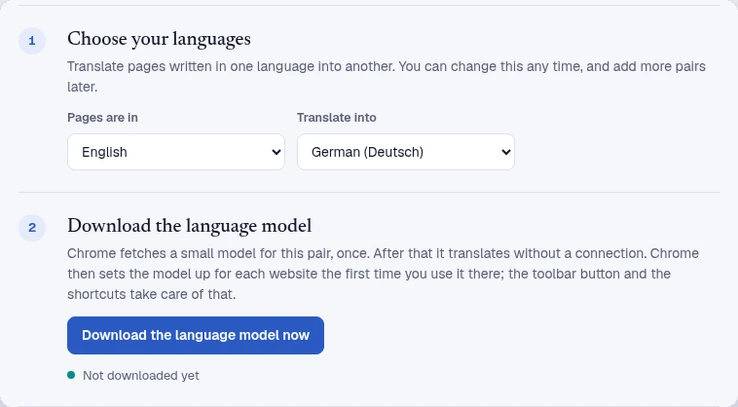
Twinread has no translation server. It hands the text to the translator built into Google Chrome, which runs on your computer, and puts the result back on the page. It needs no account and no API key. The only thing that leaves your browser is your licence key, when a Pro pass is activated or re-checked, as the privacy policy says. At install it has no access to any website. It gets access to the tab you use it on, and asks for one site at a time if you switch on Always translate.
The trade-offs are real. Twinread has one engine, works only in Google Chrome 138 or later on desktop, translates only https pages, and does not handle PDFs or video subtitles.
Checks before you install any translation extension
- Read the Privacy practices section of its Chrome Web Store listing. The developer declares what data it collects there.
- After installing, open
chrome://extensions, choose Details, and check Site access. - Find the sentence in its privacy policy that says where translated text goes.
- If it asks for an API key, read the terms of the company that issued the key.
So is it safe?
The policy describes a tool that sends text to the engine you choose, collects usage data and error logs, and offers accounts. Whether that is safe for you depends on the engine and on what you translate. For public pages it is a common trade-off. For private pages, on-device translation removes the question, at the cost of fewer engines and features. The comparison guide lists both sides.
Translate on your computer
Twinread hands the page text to Chrome's built-in translator. No account, no API key, and no limit on pages or length.
Needs Google Chrome 138 or later on desktop. No account, no API key.
More guides
- Immersive Translate alternative
- Side by side translation extension
- Bilingual web page translation
- All guides
Twinread is an independent product and is not affiliated with Immersive Translate or Google.