 Twinread
Read any page in two languages
Twinread puts the translation under each paragraph, or swaps it in. Chrome's built-in translator does the work on your computer, so the text you read is never sent to a server.
Needs Google Chrome 138 or later on desktop. No account, no API key.
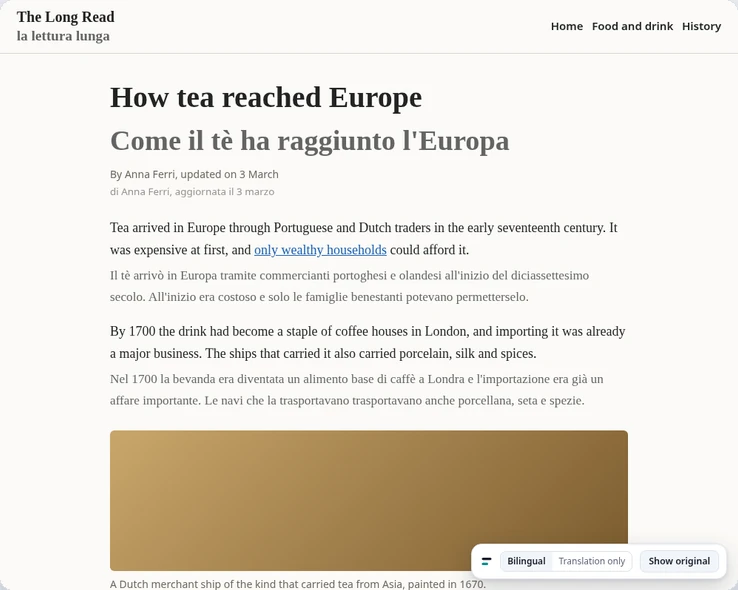
Both languages, or just the translation
Translate the page once, then change the view whenever you like. Nothing is translated again.
- Bilingual view: the translation under each paragraph, the original left as it was
- Translation only: the translation in place of the original
- Show original brings the page back untouched with one click
- Links in the original stay clickable
- Code, forms, editable areas, hidden text and one-word menu labels are left alone. Text already in your language is skipped
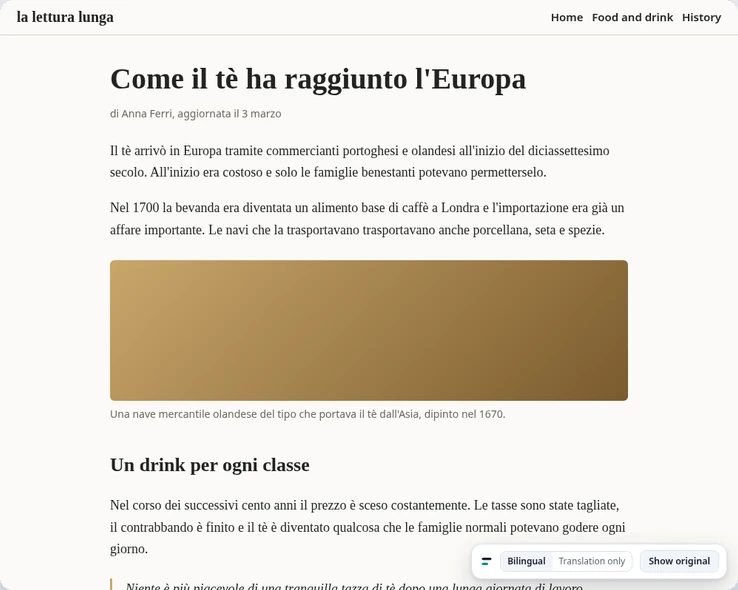
Four looks for the translation
- SubtleTea arrived in Europe through Portuguese and Dutch traders in the early seventeenth century.Il tè arrivò in Europa tramite commercianti portoghesi e olandesi all'inizio del diciassettesimo secolo.
- UnderlineTea arrived in Europe through Portuguese and Dutch traders in the early seventeenth century.Il tè arrivò in Europa tramite commercianti portoghesi e olandesi all'inizio del diciassettesimo secolo.
- HighlightTea arrived in Europe through Portuguese and Dutch traders in the early seventeenth century.Il tè arrivò in Europa tramite commercianti portoghesi e olandesi all'inizio del diciassettesimo secolo.
- Dim the originalTea arrived in Europe through Portuguese and Dutch traders in the early seventeenth century.Il tè arrivò in Europa tramite commercianti portoghesi e olandesi all'inizio del diciassettesimo secolo.
One sentence, one paragraph, or the whole page
You do not have to translate everything to read one line.
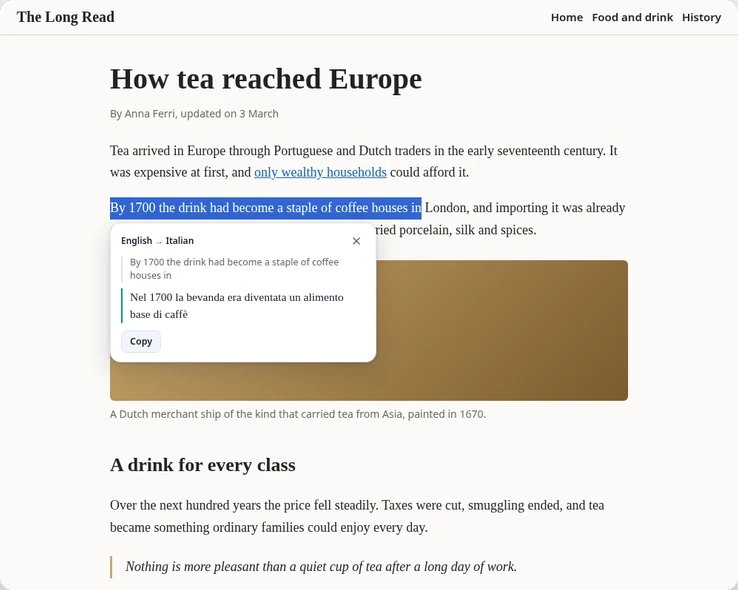
- Select text on any page and a small card shows the translation, with a copy button
- Alt+Shift+S translates the selection from the keyboard
- Hold Alt over a paragraph to translate only that paragraph
- Alt+A translates the whole page. Visible paragraphs come first, and text that loads as you scroll is picked up
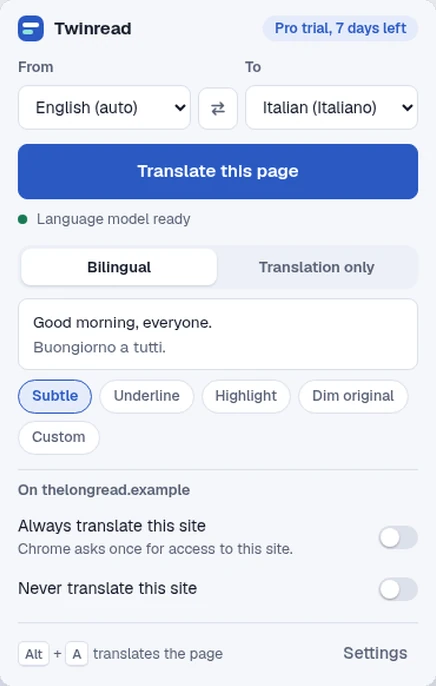
Pick a language pair and go
The toolbar popup sets the languages, the view and the look of the translation.
- Swap the two languages with one button
- The page language is detected for you, and you can set it by hand
- Shortcuts can be remapped in Chrome
- Pro adds sites that translate as they load, translating what you type into a page, a glossary and custom styles
Chrome translates it, on your computer
Twinread has no translation server. It hands the text to the translator built into Google Chrome and puts the result back on the page.
- No account and no API key
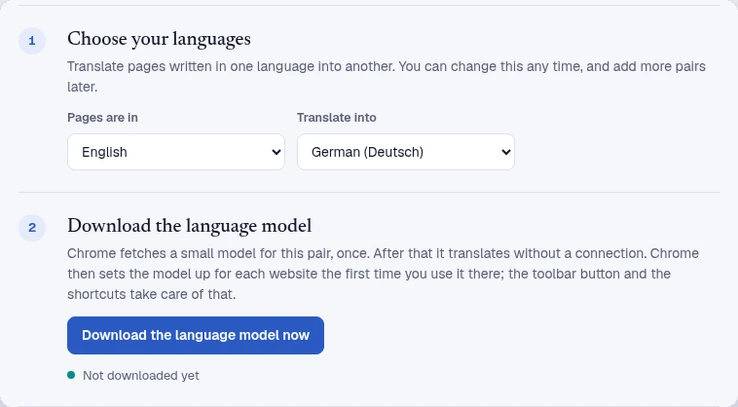
- Chrome downloads a small language model once for each language pair. After that, translation works without a connection
- Needs Google Chrome 138 or later on desktop. Other browsers, including Chromium builds, cannot run Chrome's built-in translator, and Twinread says so
- At install it has no access to any website. It gets access to the tab you use it on, and asks for one site at a time if you switch on Always translate
Pricing
Translating pages, selections and paragraphs is free, with no limit on pages or length. Pro adds sites that translate as they load, input translation, a glossary and custom styles.
| Feature | Free | Pro |
|---|---|---|
| Translate a page, bilingual or translation only | Included | Included |
| Selection card and Alt+hover paragraph translation | Included | Included |
| Four looks: subtle, underline, highlight, dim | Included | Included |
| Pages and length | No limit | No limit |
| Translate chosen sites automatically as they load | Not included | Included |
| Translate what you type (Alt+Shift+Enter) | Not included | Included |
| Glossary to keep or change chosen terms | Not included | Included |
| Custom styles | Not included | Included |
| Browsers per licence | Not applicable | Up to 3 |
| Price |
€0 forever No account, no card Add to Chrome |
€12 for a month or €79 for a year. One-time passes, nothing renews. Get Pro, 1 month 1 year, €79 |
New installs get 7 days of Pro, free, with no card. After that Twinread stays free unless you buy a pass. Pro is not a subscription.
Questions
- Which browsers does it work in?
- Google Chrome 138 or later, on desktop. Other browsers, including other Chromium builds, cannot run Chrome's built-in translator, and Twinread says so.
- Does the text I translate leave my computer?
- No. The page text goes to Chrome's on-device translator and back. The only thing that leaves your browser is your licence key, when a Pro pass is activated or re-checked. Details in the privacy policy.
- Why does Chrome download a language model?
- Chrome's translator needs a small model for each language pair. Chrome downloads it once, the first time you use that pair. After that, translation works without a connection.
- Why does it sometimes ask me to click?
- Chrome lets a page use its language model only after a click, once for each website. The toolbar button, the shortcuts and text selection take care of that. On a site you set to translate automatically, the first visit shows a Start translating button.
- Which pages can it not translate?
- Pages served over plain http. Chrome only turns its translator on for https pages.
- Is Pro a subscription?
- No. A pass is a one-time purchase for a month or a year, and nothing renews. When it ends, Twinread goes back to the free plan. One licence works on up to 3 browsers.
- Where do I get help?
- Use the contact form on the seller page.